CorbeauSplat: Gaussian Splatting on Apple Silicon
CorbeauSplat:
The All-In-One
Splatting Studio
Streamline your workflow from video or a sequence of images to a fully trained 3D scene. A unified, performant frontend built specifically for macOS Silicon.
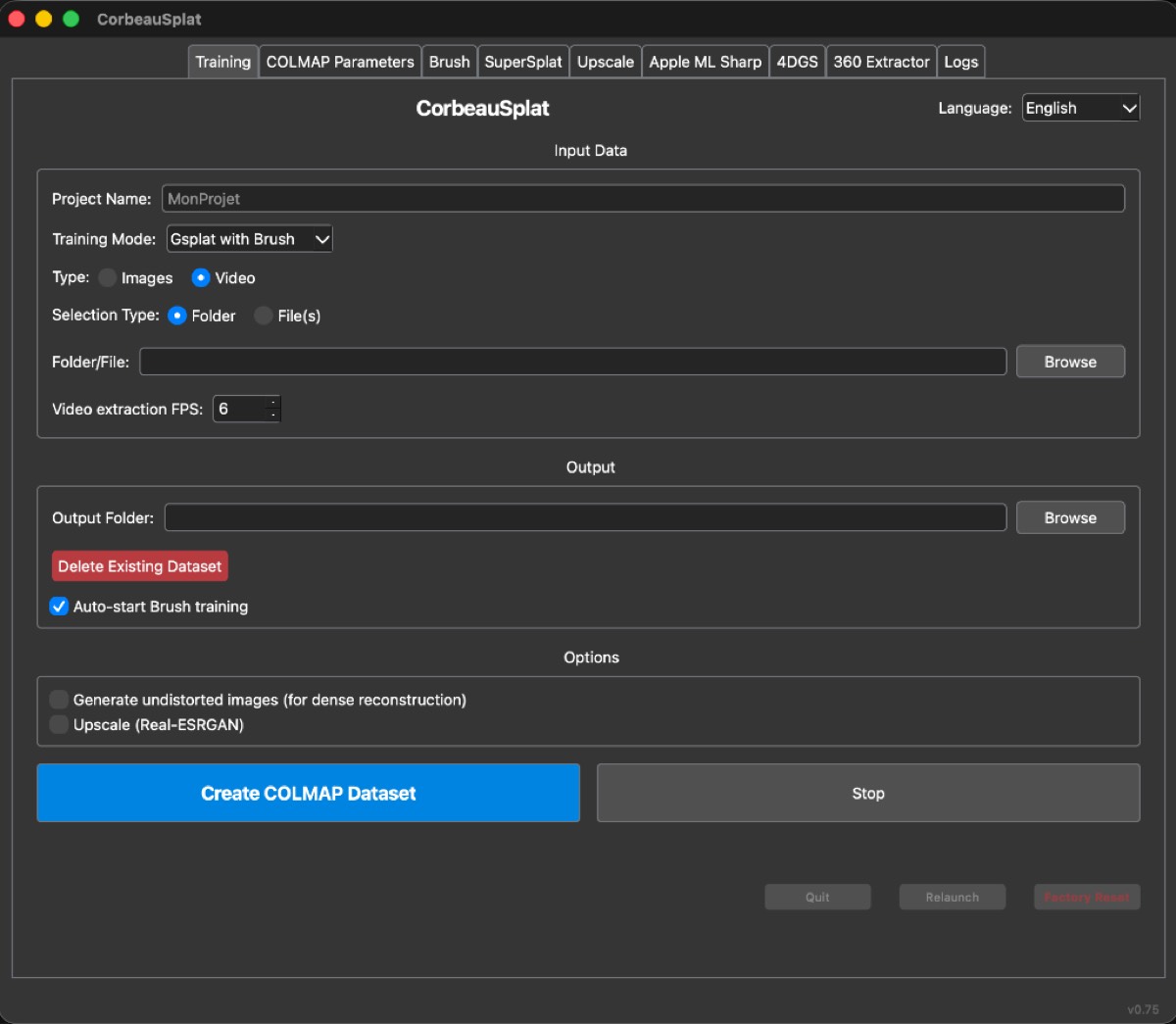
Automate the Complex
A simple click-and-run interface handling dependencies, process management, and session persistence.
Project Management
Automatically organizes outputs into structured folders with images, sparse data, and checkpoints.
Sparse Reconstruction
Automates COLMAP feature extraction and mapping with support for the modern Glomap alternative.
Image Enhancement
Optional upscale module utilizing Real-ESRGAN to dramatically improve image resolution before training.
Native Training
Integrates Brush to natively and efficiently train Gaussian Splats directly on your Mac.
Built-in Visualization
A built-in tab running SuperSplat for immediate local viewing and editing of your PLY files.
Single Image to 3D
Bonus feature utilizing Apple ML Sharp to generate a 3D mesh from a single 2D image.
Experimental Tools
Includes a 4DGS Preparation module and a 360° Extractor for advanced spatial workflows.
One Script to Start
The launcher handles all dependencies automatically (Python packages, Brush, SuperSplat, etc.)
Core Requirements:
- macOS (Apple Silicon recommended)
- Python 3.13+ (or 3.11)
- Xcode Command Line Tools
- Homebrew & Git
How to install Xcode Tools & Homebrew (Git)
Open your Terminal app and run these commands one by one:
- Xcode Tools:
xcode-select --install - Homebrew:
/bin/bash -c "$(curl -fsSL https://raw.githubusercontent.com/Homebrew/install/HEAD/install.sh)" - Git & Python:
brew install git python@3.13
Note: Follow the instructions in the terminal to add Homebrew to your PATH immediately after its installation.
# 1. Clone the repository OR Download as ZIP
$ git clone https://github.com/freddewitt/CorbeauSplat.git
$ cd CorbeauSplat
# 2. Run the launcher script inside the CorbeauSplat folder
$ ./run.command
Standing on the Shoulders of Giants
CorbeauSplat is possible thanks to these incredible open-source projects.
COLMAP
Structure-from-Motion and Multi-View Stereo.
Brush
Efficient Gaussian Splatting trainer for macOS.
SuperSplat
Web-based Splat editor by PlayCanvas.
360Extractor
Advanced 360° video extraction tool.
Apple ML Sharp
Machine Learning tools for Swift.
Nerfstudio
Modular NeRF framework for 4DGS prep.